THE PLAYBOOK · ZYCGLH
How to play Chess Online
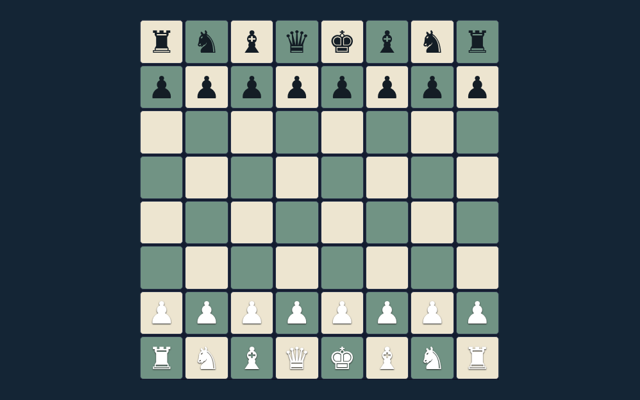
Take a moment with Chess Online before moving to another game. Checkmate the opposing king. Use the example below to understand a decision. Choose a comfortable screen position before beginning. Choose a clear next step rather than rushing through the instructions.
Play on one device with a friend or against the basic computer opponent. Repetition and the fifty-move rule trigger an automatic draw here; there is no internet matchmaking or tournament clock.
Focus on one rule
Choose one rule to keep in mind for this round. Apply it consistently rather than guessing what another version might allow. Refer to the controls when needed.
Your goal
Checkmate the opposing king. An attractive position is not enough unless the goal is met. Review the board or playing area as it changes.
Step by step
- Select local play or basic computer.
- Choose a piece and a legal target.
- Castling, en passant and promotion obey king-safety rules.
- Use the promotion selector before moving to the last rank.
- Undo or New game restarts play.
Controls
Tap a piece and target; choose a promotion piece when needed. On a smaller screen, keep the active part of the board within view. Avoid pressing the same control repeatedly while a move is being processed.
A useful example
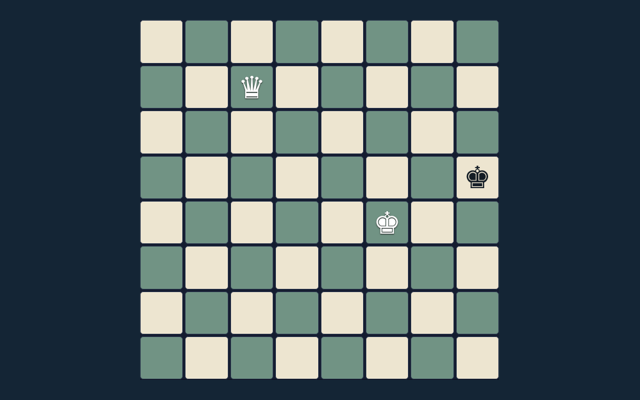
Castling cannot pass through an attacked square. Use the example as a guide rather than a substitute for reading your board. Consider the next action carefully.
Watch out for this
The computer is a small search opponent, not a rated engine. A different version of the game may use a different rule. Choose one rule to keep in mind for this round. Apply it consistently rather than guessing what another version might allow.
Common questions
For my first round, what is the goal of Chess Online?
Keep this in mind: Checkmate the opposing king.
For a quick reminder, how do I control Chess Online?
Keep this in mind: Tap a piece and target; choose a promotion piece when needed.
When I return, what example helps explain Chess Online?
Here is the relevant explanation: Castling cannot pass through an attacked square.
While reading the Guide, what should I watch out for in Chess Online?
Here is the relevant explanation: The computer is a small search opponent, not a rated engine.
While learning, what format does Chess Online offer?
Here is the relevant explanation: Play on one device with a friend or against the basic computer opponent. Repetition and the fifty-move rule trigger an automatic draw here; there is no internet matchmaking or tournament clock.
For this browser game, which play mode does Chess Online use?
The key detail is this: The mode on this page is Local / basic computer. Same-device play uses one screen; this game library does not provide internet matchmaking.